

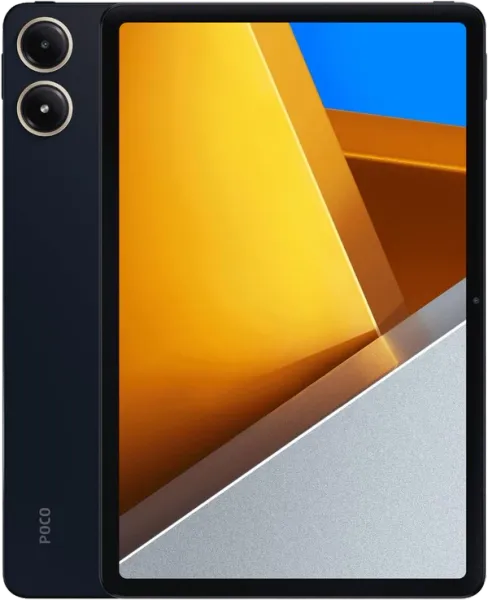
POCO Pad
POCO · Pad
The POCO Pad is an Android tablet designed for users who want a large screen, solid battery life, and balanced performance at a competitive price. Equipped with a 12.1-inch high-resolution display and a 120 Hz refresh rate, it delivers an excellent experience for media consumption, browsing, light productivity, and casual gaming. Thanks to its Qualcomm Snapdragon processor, large battery, and accessory support such as a stylus or keyboard (depending on the market), the POCO Pad stands out as a very appealing alternative to other mid-range tablets. Its HyperOS ecosystem enables synchronization with Xiaomi/POCO devices, improving the experience for users already invested in the brand. Although it is not specifically aimed at smart home control or automation, it can still be used as a control panel for Home Assistant, dashboards, or advanced media consumption. It stands out especially for its strong value for money, excellent display, and long-lasting battery life.
✓ Pros
- Large 12.1” display with 120 Hz
- Excellent battery life
- Good overall performance
- Very strong value for money
- Ideal for media and light productivity
- HyperOS with Xiaomi ecosystem
- Works well as a Home Assistant panel
- 33W fast charging
✗ Cons
- Not specifically designed for smart home use
- Modest cameras
- May include preinstalled software
- Less powerful than premium tablets
- Accessories may vary by region
Compatibility
Specifications
| Features / specifications | |
| Display | 12.1-inch LCD |
| Resolution | 2560 x 1600 |
| Refresh rate | 120 Hz |
| Processor | Qualcomm Snapdragon 7s Gen 2 |
| RAM | 8 GB |
| Storage | 256 GB |
| Battery | Approx. 10,000 mAh |
| Fast charging | 33W |
| Operating system | HyperOS (Android) |
| Connectivity | WiFi 6 / Bluetooth 5.2 |
| Port | USB-C |
| Audio | Four Dolby Atmos speakers |
| Weight | Approx. 571 g |
| Power supply | Carga USB-C 33W |
Related content
Watch on YouTube
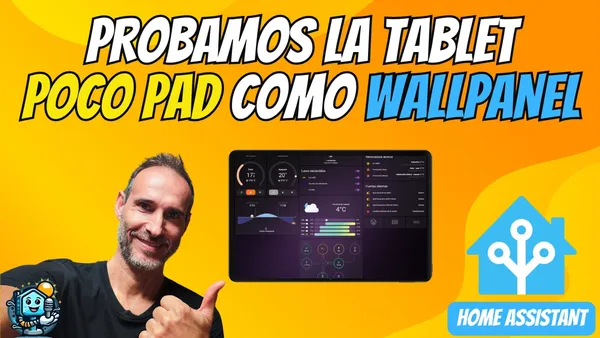
📲 Turn your POCO Pad into the ultimate Home Assistant Wall Panel: 3 Pro Methods
Do you have a POCO Pad or a Redmi Pad Pro and want to take your smart home to the next level? Don’t let it sit in a drawer. In this article, we’ll show you how to turn it into a professional Home Assistant Wall Panel, so you can control your entire smart home with a single tap from the wall in your living room.
Read review