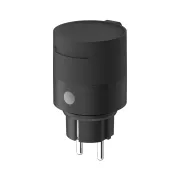
Aqara Outdoor Plug H2 EU: In-Depth Review and Home Assistant Integration (Matter vs. Zigbee)
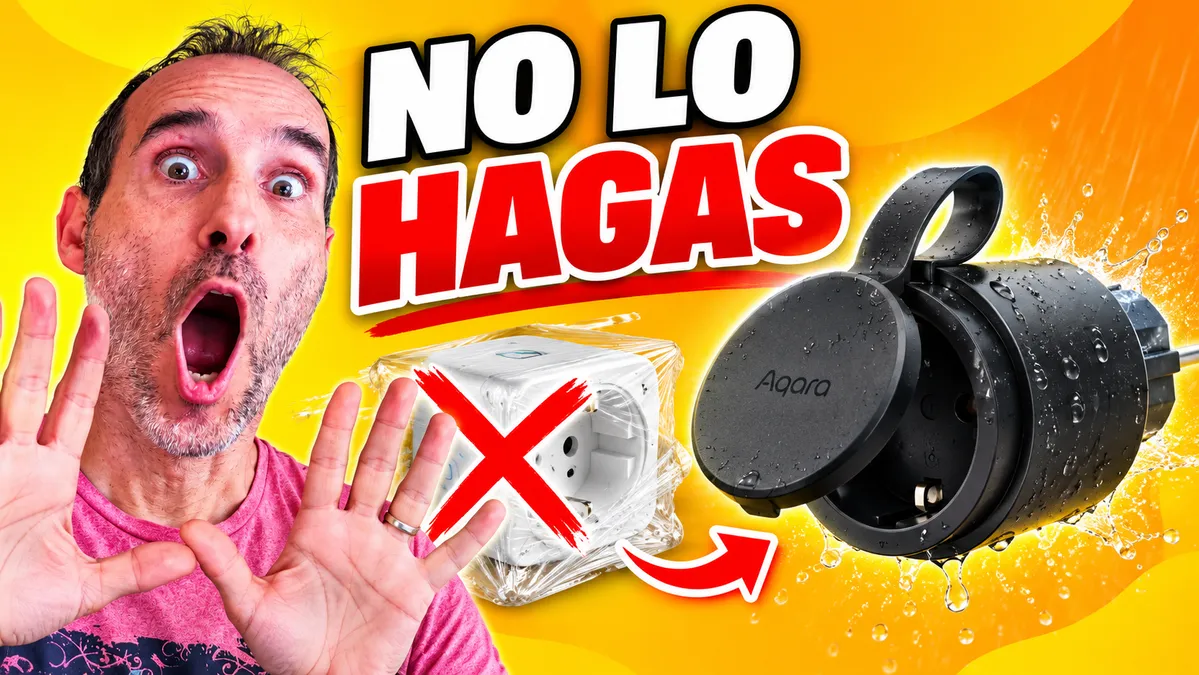
Have you ever put a regular smart plug on your patio or in your garden, wrapped in plastic film or tucked inside a plastic bag? If so, let me tell you: it's a terrible idea and a makeshift solution that should be avoided. It doesn't solve the underlying problem and creates a false sense of security that can be very dangerous. Water isn't the only enemy of an outdoor electrical installation: direct sunlight, major temperature changes, dirt, and condensation will eventually damage any indoor device. Today we're taking an in-depth look at the Aqara Outdoor Plug H2 EU, a smart plug specifically designed for outdoor use, with dual connectivity (Matter over Thread and Zigbee), energy monitoring, and full compatibility with Home Assistant.
On YouTube I share more tutorials, hands-on tests and real smart home setups. Subscribe on YouTube
Related video on YouTube
Video1. Features and Safety: What Makes It Different from a Regular Smart Plug?
At first glance, all smart plugs handle the basics: switching on and off, scheduling, and monitoring energy use. However, a patio, porch, or garden puts much greater demands on them:
- IP44 protection: Protected against water splashes from any direction and solid objects larger than 1 mm. (Important note: it is not submersible and is not suitable for pressurized water jets).
- The entire installation matters: Remember that a weather-resistant smart plug is of little use if the plug connected to it does not provide an adequate weatherproof seal.
- Operating temperature range: It can withstand temperatures from -20°C to 50°C.
- Load capacity and protection: Supports resistive loads of up to 16 A (approximately 3,680 W) and includes automatic shutoff in the event of overload or overheating.
2. The Dilemma: Matter over Thread vs. Zigbee
One of the most innovative features of the Aqara H2 EU is that you can choose how to connect it depending on your smart home network architecture.
Option A: Matter over Thread (Factory Default)
Straight out of the box, it is ready to work using Matter over Thread:
- Advantages: Fast, cross-platform pairing without necessarily requiring an Aqara hub. Works directly with Home Assistant, Apple Home, Alexa, or Google Home (provided you have a Thread Border Router).
- Entities in Home Assistant: You get on/off control, real-time power (W), and accumulated energy consumption (kWh).
- Limitation: Advanced firmware settings are not available in this mode.
Option B: Zigbee (Via Firmware Through Aqara Home)
If you choose to switch to Zigbee through the Aqara Home app, the plug downloads different firmware and unlocks its full potential:
- Built-in timer / countdown.
- LED indicator control (brightness, off, on, or consumption-based indication).
- Physical button lock (for child safety or outdoor use).
- Automatic shutoff based on a power threshold (ideal for disconnecting chargers when their draw drops below 3 W for 30 minutes).
- Customizable behavior after a power outage.
Pro tip with Aqara hubs: If you use a hub that supports Matter bridging (such as the Aqara G350 camera or Hub M3), you can keep the plug paired via Zigbee, with all its advanced features available in Aqara Home, while also exposing it to Home Assistant via Matter, with real-time power readings updating in as little as one second.
3. Integrating with Home Assistant via Zigbee2MQTT
If you prefer to avoid cloud services and proprietary bridges, you can pair it directly with your Zigbee coordinator through Zigbee2MQTT:
- Initial recognition: Because this is a very recent model, older versions may identify it incorrectly or report power readings scaled down (for example, 2 W instead of 20 W).
- Using an External Converter: Simply add the converter specifically developed for the H2 EU model (https://github.com/Koenkk/zigbee2mqtt/issues/33476) from the Zigbee2MQTT Dev Console tab, and then pair the device again.
- Full local control: Once configured, you get accurate readings for power, voltage, current, and accumulated energy consumption, as well as full control over advanced parameters and LED behavior.
4. Real-World Automation Ideas: Power Consumption Monitoring
Measuring real-time power consumption outdoors opens the door to smart automations without having to modify the electronics inside your devices:
Use Case 1: Pool or Spa Monitoring
If you have an outdoor pool or spa with several functions connected to the same outlet, their power consumption levels are usually very different:
- 10 W – 70 W: Filtration pump running.
- 70 W – 600 W: Bubble mode active.
- > 600 W: Water heater on.
Using these ranges, you can create template sensors (template sensors) in Home Assistant to identify exactly which mode is running, display it with icons and colors on an auxiliary display (such as a Ulanzi/Awtrix screen), or receive alerts if something is accidentally left running.
alias: Awtrix Pool Status
description: Displays the current pool operating mode based on power consumption
triggers:
  - entity_id: sensor.consumo_piscina
    trigger: state
  - minutes: /5
    trigger: time_pattern
conditions: []
actions:
  - variables:
      power_consumption: "{{ states('sensor.enchufe_piscina_power_1') | float(0) }}"
      pool_status: |-
        {% if power_consumption < 10 %}

        {% elif power_consumption <= 70 %}
          Filtering
        {% elif power_consumption <= 600 %}
          Bubbles
        {% else %}
          Heating
        {% endif %}
      icon: |-
        {% if pool_status == "Filtering" %}
          67145
        {% elif pool_status == "Heating" %}
          57063
        {% elif pool_status == "Bubbles" %}
          8678
        {% else %}

        {% endif %}
      color: |-
        {% if pool_status == "Filtering" %}
          [0, 200, 0]
        {% elif pool_status == "Heating" %}
          [255, 0, 0]
        {% elif pool_status == "Bubbles" %}
          [0, 150, 255]
        {% else %}
          [0, 0, 0]
        {% endif %}
  - choose:
      - conditions:
          - condition: template
            value_template: "{{ pool_status != '' }}"
        sequence:
          - data:
              device: 542dc734fba59dec58e96774cb7b631c
              app: Pool
              text: "{{ pool_status }}"
              icon: "{{ icon }}"
              color: "{{ color }}"
            action: awtrix.custom_app
      - conditions:
          - condition: template
            value_template: "{{ pool_status == '' }}"
        sequence:
          - data:
              device: 542dc734fba59dec58e96774cb7b631c
              app: Pool
            action: awtrix.delete_custom_app
mode: single
Use Case 2: Patio Heaters and Climate Control
Set up a safety rule so that, if an outdoor electric heater maintains a high power draw beyond a specified period, the smart plug automatically cuts power to prevent accidental prolonged operation.
Use Case 3: Garden and Christmas Lighting
Automate outdoor string lights and decorations at dusk, tying them to sunset or presence on the patio.
Recommended gear
Device used in this project: Aqara Outdoor Plug H2 EU. If you need it, here is where to find it:
- Aqara Outdoor Plug H2 EU — Reviewed in the video: Amazon
Conclusion: Is the Aqara H2 EU Worth It?
The Aqara Outdoor Plug H2 EU is one of the most robust and versatile options for outdoor use. Avoid unnecessary risks from homemade workarounds and indoor smart plugs: its IP44 rating, high load capacity (16 A), and the flexibility to choose between Matter over Thread and Zigbee make it a sound investment for any smart home installation.