Control Your Pool with Home Assistant: Review of the YIERYI YY-1099L and BLE-YL01 pH/Chlorine Meters
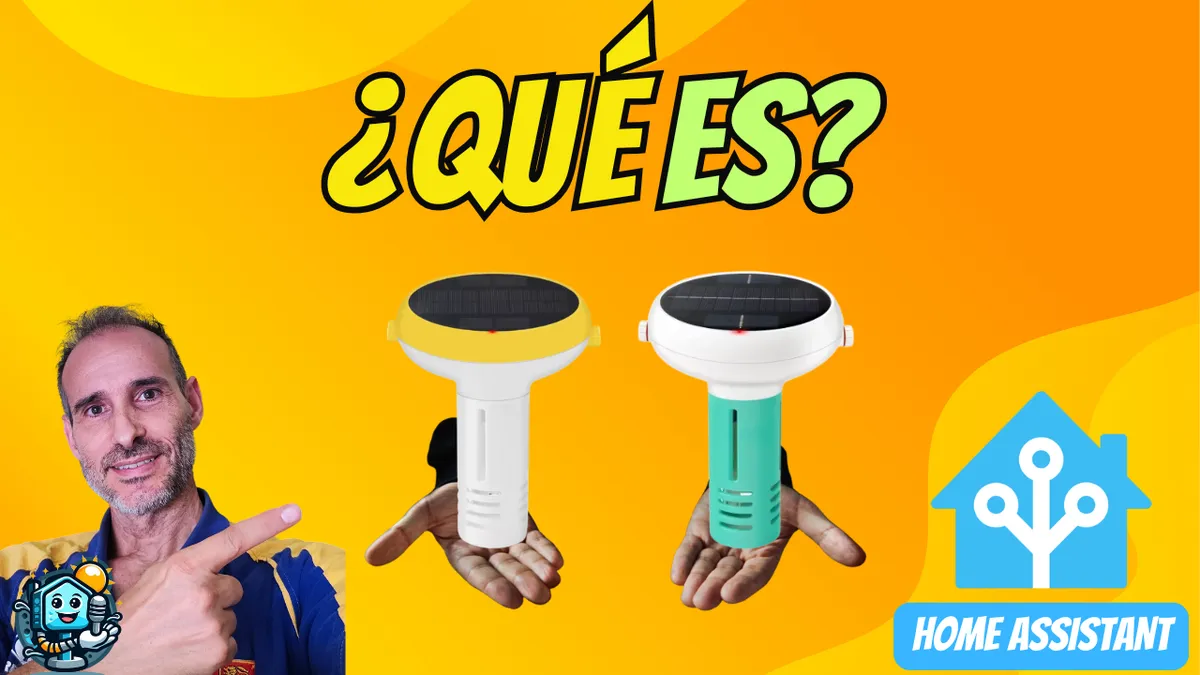
Keeping pool water crystal clear can be a headache. How much chlorine does it have? Is the pH balanced? Today we take a look at two of the most popular smart meters on AliExpress: the YIERYI YY-1099L (Yellow) and the BLE-YL01 (Green). We’ll cover their differences, how to integrate them into Home Assistant via Zigbee2MQTT, and how to create a visual alert system so you never have to open the app again.
On YouTube I share more tutorials, hands-on tests and real smart home setups. Subscribe on YouTube
Related video on YouTube
VideoComparison: Yellow Model or Green Model?
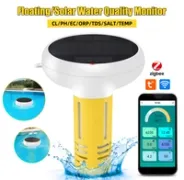
YIERYI YY-1099L (The Yellow One - Recommended)
- IP68 protection: It is fully waterproof. It can float in the pool with no risk of water getting into the electronics.
- Parameters: Measures pH, chlorine (ORP), TDS, EC, salinity, and temperature.
- Connectivity: Zigbee version available, ideal for local home automation.
YIERYI BLE-YL01 (The Green One)
- Limited protection: Although it is durable, it does not have the IP68 certification of the yellow model. It is more likely to suffer from moisture over the long term.
- Use: Better suited for spot checks or controlled tanks.
⚠️ Important note: I’ve been told that an improved version will be released soon. If you are not in a hurry, it may be worth waiting, but if you want to keep your pool under control right now, here’s all the info. And don’t forget to use these discount coupons!
Calibration: The Critical Step
For the readings to be reliable, you need to calibrate the sensors before putting them in the water.
- pH: Use the included solution packets (4.00, 6.86, 9.18).
- ORP (Chlorine): You will need the 256mV calibration solution.
- Process: Place the electrode in the solution, wait for the reading to stabilize, and press the calibration button according to the manual’s instructions.
Integration in Home Assistant with Zigbee2MQTT
If you have the Zigbee version, integrating it is incredibly easy. Once paired with Zigbee2MQTT, all entities will appear automatically in your Dashboard.
What data do we get?
sensor.piscina_ph: The pH value (ideal between 7.2 and 7.6).sensor.piscina_orp: The REDOX potential level (chlorine).sensor.piscina_temperature: Water temperature.
Automation: Visual Alerts on the Ulanzi Clock
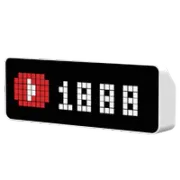
Having the data on your phone is fine, but having your home warn you visually is better. We can use the Ulanzi TC001 Clock (Awtrix) to show a red drop icon if the pH is out of range.
Automation code
I’ve prepared a specific script to send water quality data directly to your pixel clock:
alias: Awtrix Alert - Chlorine or pH Out of Range
description: >-
  Shows an alert on Awtrix if pH or free chlorine are outside the recommended
  values.
triggers:
  - entity_id:
      - sensor.medidor_de_cloro_free_chlorine
      - sensor.medidor_de_cloro_ph
    for:
      minutes: 5
    trigger: state
conditions: []
actions:
  - variables:
      ph: "{{ states('sensor.medidor_de_cloro_ph') | float(0) }}"
      cloro: "{{ states('sensor.medidor_de_cloro_free_chlorine') | float(0) }}"
      mensaje: |-
        {% if cloro < 1 %}
          Low chlorine ({{ cloro }})
        {% elif cloro > 3 %}
          High chlorine ({{ cloro }})
        {% elif ph < 7.2 %}
          Low pH ({{ ph }})
        {% elif ph > 7.6 %}
          High pH ({{ ph }})
        {% else %}

        {% endif %}
      icono: |-
        {% if 'pH' in mensaje %}
          19538
        {% else %}
          9196
        {% endif %}
      color: |-
        {% if mensaje != "" %}
          [255,0,0]
        {% else %}
          [0,0,0]
        {% endif %}
  - choose:
      - conditions:
          - condition: template
            value_template: "{{ mensaje != '' }}"
        sequence:
          - data:
              device: 46f7de6ece2c1000d30f840b31d60be8
              app: CloroPh
              text: "{{ mensaje }}"
              icon: "{{ icono }}"
              color: "{{ color }}"
              effect: Blink
              effectSettings:
                speed: 6
                palette: Sunset
            action: awtrix.custom_app
      - conditions:
          - condition: template
            value_template: "{{ mensaje == '' }}"
        sequence:
          - data:
              device: 46f7de6ece2c1000d30f840b31d60be8
              app: CloroPh
            action: awtrix.delete_custom_app
mode: single
With this setup, the clock will alternate between temperature and pH, letting you know at a glance whether it is safe to swim.
Where to buy
If you are interested in any of the options mentioned, here are the available links:
Water quality meter
- YIERYI/YAGO YY-1099L — Reviewed in the video: AliExpress
Display
- Ulanzi TC001 Smart Pixel Clock AWTRIX Light (Display mostrado en el video): AliExpress
Conclusion: Is It Worth the Investment?
If you want convenience, the YIERYI YY-1099L (Yellow) is the best buy. Its IP68 rating gives you peace of mind to leave it floating in the pool all season long. Integrated with Home Assistant, it becomes the ultimate tool for preventive maintenance.
Want to see the real-world test in the water and how I set up Zigbee2MQTT? Watch the full video here: 🌊 YIERYI/YAGO digital chlorine/pH meter review
Related video

Reviewed device