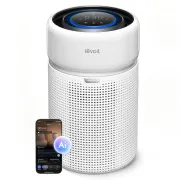
How to Integrate the Levoit Eleva 300X with Home Assistant Before Official Support Arrives
If you own a Levoit Eleva 300X and have tried to integrate it with Home Assistant, you've probably discovered that the official VeSync integration doesn't yet recognise this model correctly. That's exactly the problem I encountered when I started testing this air purifier. After investigating how it communicates with the VeSync platform, I managed to add support to the Python library used by Home Assistant and implement the sensors needed to display its data. The changes have already been submitted for official inclusion, but while the maintainers review them, I've prepared an experimental version that you can install manually in Home Assistant. Best of all, the process is quite straightforward.
On YouTube I share more tutorials, hands-on tests and real smart home setups. Subscribe on YouTube
Related video on YouTube
VideoWhat can we do with this integration?
This version adds support for the European Levoit Eleva 300X, model LAP-C341S-WEU, using the existing VeSync integration in Home Assistant.
The goal is to allow Home Assistant to recognise and use the air purifier, including its supported control features.
I've also added four sensors to provide device information:
- Air Quality Index (AQI): displays the air quality value reported by the purifier.
- Carbon filter life: displays the percentage of remaining filter life.
- Pre-filter life: lets you monitor the maintenance status of the pre-filter.
- Filter days remaining: indicates the estimated number of days left before the filter needs replacing.
These sensors have been implemented generically for the VeSync integration. This means they are not exclusive to the Eleva 300X: other compatible devices can also use them if they provide the relevant data.
It's important to note that VeSync uses the cloud to communicate with the device. This solution does not enable local control of the purifier or use Matter.
Why isn't it officially available yet?
Two separate components need to be updated to properly integrate this model.
The first is pyvesync, the Python library responsible for communicating with Levoit and VeSync devices. This is where I've added recognition and support for the Eleva 300X.
The second is the VeSync integration in Home Assistant Core, which uses that library to create the corresponding entities.
I've submitted both contributions to their respective open-source projects:
Eleva 300X support in pyvesync:
https://github.com/webdjoe/pyvesync/pull/570
New VeSync sensors in Home Assistant Core:
https://github.com/home-assistant/core/pull/189317
Until the necessary changes are accepted and released, we can use a temporary version based on those contributions.
Download the experimental integration
I've published a version based on Home Assistant Core 2026.11.2, along with a modified version of pyvesync 3.5.1 that includes Eleva 300X support.
You can download it for free from my GitHub repository:
DOWNLOAD LEVOIT ELEVA 300X FOR HOME ASSISTANT
On the page, you'll find the following file:
vesync-eleva-preview-2026.11.2.zip
This experimental version was built specifically for Home Assistant 2026.11.2. Compatibility with all subsequent versions has not yet been verified.
The modified pyvesync library has passed 838 automated tests, although that does not guarantee there won't be issues in real-world installations.
Before installing it, I recommend creating a backup of Home Assistant.
How to Install the Levoit Eleva 300X in Home Assistant
Installation does not require HACS, SSH access or any changes to the Home Assistant OS Docker container.
All we need is access to the Home Assistant configuration files, for example through Samba or a file editor.
Step 1. Download and extract the archive
Download the ZIP file from the link above and extract it on your computer.
Inside, you'll find the custom_components folder, which contains another folder named vesync.
This folder contains the integration files.
Step 2. Copy the integration to Home Assistant
Open your Home Assistant configuration directory.
On a Home Assistant OS installation, this is typically /config.
Inside that directory, there should be a folder named custom_components. If it doesn't exist, you can create it.
Copy the vesync folder you downloaded into custom_components.
The final directory structure should look like this:
/config/
└── custom_components/
    └── vesync/
        ├── __init__.py
        ├── manifest.json
        ├── sensor.py
        ├── fan.py
        ├── config_flow.py
        ├── translations/
        └── ...other files
Important: make sure the manifest.json file is located directly inside /config/custom_components/vesync/.
There should not be another custom_components folder inside vesync.
If you already have a custom VeSync integration in that location, first save a copy outside custom_components and replace the entire folder without mixing files from different versions.
Step 3. Restart Home Assistant
Once you've copied the files, restart Home Assistant.
On startup, Home Assistant will detect a custom integration named vesync and attempt to load it instead of the official version included in Core.
The package is configured so that Home Assistant automatically downloads the modified pyvesync library from my GitHub repository.
You therefore don't need to install any Python libraries manually.
However, Home Assistant will need access to GitHub to download that dependency.
Step 4. Configure the VeSync integration
If you haven't set up VeSync yet, go to:
Settings → Devices & services → Add integration
Search for VeSync and follow the setup process using your account.
The Eleva 300X must already be linked to the VeSync app and connected to the internet.
If you already had the VeSync integration configured, you should normally be able to keep your existing configuration and simply restart Home Assistant after copying the files.
Once the integration has loaded, check whether your air purifier appears and which entities are available.
Step 5. Check the sensors
Open the device entry for the Levoit Eleva 300X in Home Assistant.
In addition to the supported control entities, you should be able to access the new air quality and filter maintenance sensors whenever the device provides those values.
If an entity is missing, first check whether it is disabled.
Bear in mind that sensors are only created when their corresponding attributes are available.
What if I already have other VeSync devices?
This is an important consideration.
The custom vesync folder temporarily replaces the entire official VeSync integration, not just Eleva 300X support.
That means it will also manage any other devices you've configured through VeSync.
I've built this version using the integration included in Home Assistant 2026.11.2 as a starting point and incorporating our changes, but I cannot guarantee that it will work correctly with every model.
For that reason, I recommend using it only if you need to test the Eleva 300X and are comfortable with the potential drawbacks of running an experimental version.
Additionally, while this custom folder is installed, Home Assistant updates will not automatically update that VeSync code.
How to switch back to the official integration
One advantage of this method is that it's easy to reverse.
When Home Assistant officially adds support for the Eleva 300X, or if you prefer to stop using the experimental version, follow these steps:
- Open the
/config/custom_components/directory. - Delete the
vesyncfolder we added. - Restart Home Assistant.
Once that folder is removed, Home Assistant will revert to the VeSync integration included in Core.
If you encounter any issues during the process, you can restore the backup you created before installing the experimental version.
There is no need to manually modify the internal files of Home Assistant OS.
Is this an official integration?
Not yet.
This is an experimental version based on two contributions I've submitted to the official pyvesync and Home Assistant projects.
The aim is for Eleva 300X support to become part of Home Assistant, eliminating the need to install any patches.
The modified library has passed its automated tests, but the full installation process for this package still needs to be validated on more real-world systems.
It's also worth remembering that this integration relies on the VeSync cloud, so changes to the manufacturer's services may affect how it works.
Recommended gear
Device used in this project: Levoit Eleva 300X. If you need it, here is where to find it:
Conclusion
The Levoit Eleva 300X is an air purifier we can get much more out of by integrating it into our Home Assistant automations.
That's why I wanted to share this temporary version while we wait for official support to arrive.
With just a few steps, you can try the integration without modifying Docker, replacing internal Home Assistant files or manually installing dependencies.
DOWNLOAD THE EXPERIMENTAL LEVOIT ELEVA 300X INTEGRATION
If you decide to try it, let me know in the comments which version of Home Assistant you're using, whether it recognised your Eleva 300X correctly, and whether the controls and sensors are working.
This will help us identify potential issues and keep improving support until the official integration arrives.
Cheers!
HectorziNo | Smart Home and Home Assistant