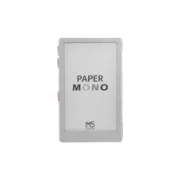
M5Stack PaperMono + ESPHome: The Ultimate Remote and Control Panel for Home Assistant
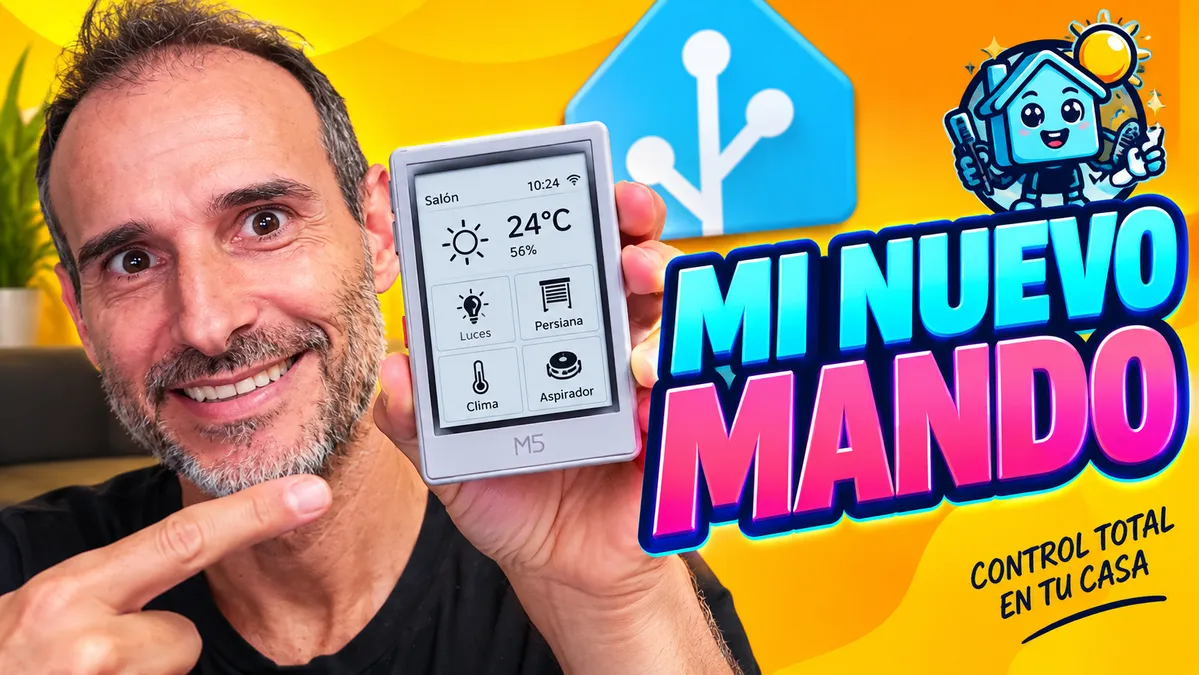
The M5Stack PaperMono (C153) is one of the most versatile and efficient solutions for controlling your smart home. Thanks to its e-paper display, advanced connectivity and built-in sensors, this device goes from being a simple data viewer to becoming an interactive remote control and ultra-low-power home automation panel. In this guide, we cover all its technical specifications and how the custom firmware developed with ESPHome allows it to be fully integrated with Home Assistant.
On YouTube I share more tutorials, hands-on tests and real smart home setups. Subscribe on YouTube
Related video on YouTube
Video📋 Technical Specifications of the M5Stack PaperMono (C153)
The PaperMono hardware stands out for its ideal balance between processing power and energy efficiency:
- Microcontroller: ESP32-S3 (dual-core Xtensa LX7 at 240 MHz, 2.4 GHz Wi-Fi connectivity and Bluetooth 5 LE).
- Display: Capacitive grayscale touch e-paper display (monochrome), which can keep a static image visible without continuous power consumption.
- Frontlight: Adjustable built-in light for reading and viewing in low-light environments.
- NFC Module: Built-in reader/writer for quick interaction using NFC cards or key fobs.
- Battery and Power Management: Built-in lithium battery with charge management circuit (PMU) and support for deep sleep modes (deep sleep).
- Sensors and Peripherals: High-precision RTC (real-time clock), buzzer, accelerometer/built-in sensors and Grove expansion ports.
🚀 What Does This Firmware Offer for Home Assistant?
The firmware developed with ESPHome makes the most of every PaperMono component:
1. Full Smart Home Control
From the PaperMono touch interface, you can monitor status and directly control:
- Lighting and switches: On, off and dimming control.
- Motorized blinds and curtains.
- Climate control and thermostats: Temperature/humidity readings and setpoint adjustment.
- Robot vacuums: Start, pause and return-to-dock commands.
- Media players: Volume and playback control.
2. Quick Access Using NFC Cards
By simply bringing an NFC card or tag close to the device, the interface automatically switches to the specific room or control panel associated with that card.
3. On-Screen Notifications
Send critical alerts or reminders from Home Assistant automations directly to the PaperMono screen (alarms, open-door alerts, weather, and more).
4. Smart Battery Management (Quiet Hours and Deep Sleep)
Because it uses an e-paper display, information remains visible indefinitely without draining the battery. The firmware implements:
- Deep sleep modes with configurable periodic wake-ups.
- Mode Quiet Hours to pause updates overnight and maximize battery life.
5. Dynamic Configuration Without Recompiling
The PaperMono is auto-discovered in Home Assistant and exposes entities to adjust the frontlight brightness, the sleep timeout (timeout), update intervals and quiet hours in real time, without needing to flash the YAML code again.
🛠️ How to Install the Firmware Step by Step
- Download the project: Go to the M5PaperMono-HomeAssistant-ESPHome GitHub repository.
- Configure your credentials: Add your Wi-Fi network and API details in the
secrets.yaml. - First flash via USB: Connect the M5Stack PaperMono to your computer and compile/install the firmware using the ESPHome console or web dashboard.
- Home Assistant integration: Once connected to your local network, Home Assistant will automatically detect the device through the native ESPHome integration.
- OTA updates: Any future configuration changes can be performed wirelessly (Over-The-Air).
- 💻 Project Repository (ESPHome Firmware): GitHub: M5PaperMono-HomeAssistant-ESPHome
Recommended gear
Device used in this project: M5Stack PaperMono. If you need it, here is where to find it:
- M5Stack PaperMono — Reviewed in the video: OpenELAB