Meross MS700: Review, Setup, and Home Assistant & Matter Integration
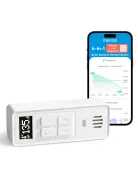
Controlling your smart home with a smartphone or voice commands is convenient, but having to take out your phone, unlock it, open an app, and find the right light is not always practical. The Meross MS700 addresses this with a versatile smart controller designed for indoor and outdoor use thanks to its water-resistant design. In this in-depth guide, we cover its technical specifications, how it connects through Matter and the MSH450P Hub, and how to integrate it with Home Assistant to control WLED lighting, Zigbee bulbs, or any smart home scene.
On YouTube I share more tutorials, hands-on tests and real smart home setups. Subscribe on YouTube
Related video on YouTube
Video1. Key Features of the Meross MS700
The Meross MS700 combines versatility, durability, and long battery life in a compact, handheld design:
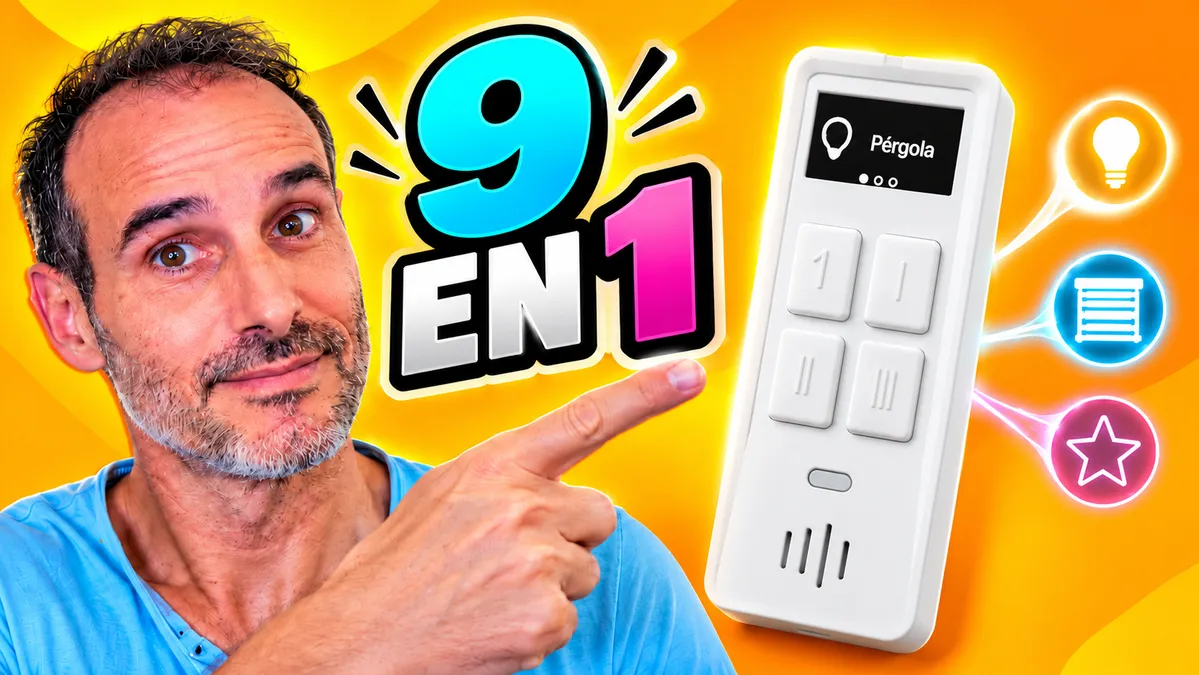
- 3 screens and 9 direct actions: It features a configurable display with 3 separate pages. Each page offers 3 dedicated physical buttons, allowing you to assign up to 9 different functions with custom icons and labels.
- IP66 protection for outdoor use: It is protected against dust and powerful water jets, making it an ideal choice for pergolas, patios, gardens, or pool areas without worrying about exposure to the elements.
- Long battery life: It runs on a replaceable CR123A, with a manufacturer-estimated battery life of up to 2.5 years (depending on daily use).
- Built-in temperature and humidity sensors: It does more than send commands: it also monitors the ambient conditions wherever you place it and can report this data to your smart home system.
2. Connectivity: Bluetooth, the MSH450P Hub, and Matter Compatibility
One important thing to know is that the Meross MS700 does not connect directly over Wi-Fi. Instead, it communicates via Bluetooth, which significantly reduces battery consumption.
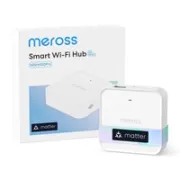
To connect it to the rest of your smart home, you need the Meross MSH450P Hub:
- The hub connects to your home network via Ethernet or Wi-Fi.
- It receives button presses from the MS700 over Bluetooth and forwards them to the local network.
- The hub supports Matter, making the controls available to platforms such as Apple Home, Google Home, Amazon Alexa and Home Assistant.
3. Home Assistant Integration and Setup
Once you pair the hub with Home Assistant through Matter, the 9 buttons across the 3 screens are exposed as events that can be used as automation triggers (triggers).
The main advantage is that you are not locked into the Meross ecosystem: you can control any device integrated with Home Assistant, regardless of its protocol or manufacturer (Zigbee, Z-Wave, Wi-Fi, ESPHome, etc.).
Practical Example: Pergola and Garden Lighting Control
In a real-world outdoor setup, the 3 screens can be organized by function:
- Screen 1 (Pergola — White Lighting):
- Top button: toggle lights on/off.
- Middle button: increase brightness.
- Bottom button: decrease brightness.
- Screen 2 (Pergola — RGB WLED Lighting):
- Top button: cycle through preset color palettes or colors.
- Lower buttons: fine-tune brightness.
- Screen 3 (Garden — Zigbee Lighting):
- Top button: toggle all garden lights on/off.
- Lower buttons: move forward or backward through a predefined color cycle. (When controlling bulbs that report slightly different RGB values, the automation finds the closest color in the list before moving to the next one).
alias: 🎛️ Meross MS700 | Pergola and Garden Control
description: >-
  Control pergola and garden lights using three screens. Cycle through RGB
  colors by matching the closest color in the preset palette.
triggers:
  - trigger: state
    entity_id: event.screen_1_button_1_boton
    not_from:
      - unknown
      - unavailable
    id: p1_b1
  - trigger: state
    entity_id: event.screen_1_button_2_boton
    not_from:
      - unknown
      - unavailable
    id: p1_b2
  - trigger: state
    entity_id: event.screen_1_button_3_boton
    not_from:
      - unknown
      - unavailable
    id: p1_b3
  - trigger: state
    entity_id: event.screen_2_button_1_boton
    not_from:
      - unknown
      - unavailable
    id: p2_b1
  - trigger: state
    entity_id: event.screen_2_button_2_boton
    not_from:
      - unknown
      - unavailable
    id: p2_b2
  - trigger: state
    entity_id: event.screen_2_button_3_boton
    not_from:
      - unknown
      - unavailable
    id: p2_b3
  - trigger: state
    entity_id: event.screen_3_button_1_boton
    not_from:
      - unknown
      - unavailable
    id: p3_b1
  - trigger: state
    entity_id: event.screen_3_button_2_boton
    not_from:
      - unknown
      - unavailable
    id: p3_b2
  - trigger: state
    entity_id: event.screen_3_button_3_boton
    not_from:
      - unknown
      - unavailable
    id: p3_b3
conditions: []
actions:
  - variables:
      colors:
        - - 255
          - 0
          - 0
        - - 255
          - 100
          - 0
        - - 255
          - 255
          - 0
        - - 0
          - 255
          - 0
        - - 0
          - 0
          - 255
        - - 150
          - 0
          - 255
        - - 255
          - 0
          - 120
  - choose:
      - conditions:
          - condition: trigger
            id: p1_b1
        sequence:
          - if:
              - condition: state
                entity_id: light.pergola
                state: 'on'
            then:
              - action: light.turn_off
                target:
                  entity_id: light.pergola
            else:
              - action: light.turn_on
                target:
                  entity_id: light.pergola
                data:
                  rgb_color:
                    - 255
                    - 255
                    - 255
      - conditions:
          - condition: trigger
            id: p1_b2
        sequence:
          - condition: state
            entity_id: light.pergola
            state: 'on'
          - action: light.turn_on
            target:
              entity_id: light.pergola
            data:
              brightness_step_pct: -10
      - conditions:
          - condition: trigger
            id: p1_b3
        sequence:
          - condition: state
            entity_id: light.pergola
            state: 'on'
          - action: light.turn_on
            target:
              entity_id: light.pergola
            data:
              brightness_step_pct: 10
      - conditions:
          - condition: trigger
            id: p2_b1
        sequence:
          - variables:
              current_color: |
                {{ state_attr('light.pergola', 'rgb_color') | list
                   if state_attr('light.pergola', 'rgb_color') != none
                   else [] }}
          - action: light.turn_on
            target:
              entity_id: light.pergola
            data:
              rgb_color: |
                {% if current_color | length == 3 %}
                  {% set ns = namespace(index=0, distance=999999) %}
                  {% for color in colors %}
                    {% set d =
                      (color[0] - current_color[0]) ** 2 +
                      (color[1] - current_color[1]) ** 2 +
                      (color[2] - current_color[2]) ** 2 %}
                    {% if d < ns.distance %}
                      {% set ns.distance = d %}
                      {% set ns.index = loop.index0 %}
                    {% endif %}
                  {% endfor %}
                  {{ colors[(ns.index + 1) % (colors | length)] }}
                {% else %}
                  {{ colors[0] }}
                {% endif %}
      - conditions:
          - condition: trigger
            id: p2_b2
        sequence:
          - condition: state
            entity_id: light.pergola
            state: 'on'
          - action: light.turn_on
            target:
              entity_id: light.pergola
            data:
              brightness_step_pct: -10
      - conditions:
          - condition: trigger
            id: p2_b3
        sequence:
          - condition: state
            entity_id: light.pergola
            state: 'on'
          - action: light.turn_on
            target:
              entity_id: light.pergola
            data:
              brightness_step_pct: 10
      - conditions:
          - condition: trigger
            id: p3_b1
        sequence:
          - action: light.toggle
            target:
              entity_id: light.luces_jardin
      - conditions:
          - condition: trigger
            id: p3_b2
        sequence:
          - variables:
              current_color: |
                {{ state_attr('light.luces_jardin', 'rgb_color') | list
                   if state_attr('light.luces_jardin', 'rgb_color') != none
                   else [] }}
          - action: light.turn_on
            target:
              entity_id: light.luces_jardin
            data:
              rgb_color: |
                {% if current_color | length == 3 %}
                  {% set ns = namespace(index=0, distance=999999) %}
                  {% for color in colors %}
                    {% set d =
                      (color[0] - current_color[0]) ** 2 +
                      (color[1] - current_color[1]) ** 2 +
                      (color[2] - current_color[2]) ** 2 %}
                    {% if d < ns.distance %}
                      {% set ns.distance = d %}
                      {% set ns.index = loop.index0 %}
                    {% endif %}
                  {% endfor %}
                  {{ colors[(ns.index - 1) % (colors | length)] }}
                {% else %}
                  {{ colors[-1] }}
                {% endif %}
      - conditions:
          - condition: trigger
            id: p3_b3
        sequence:
          - variables:
              current_color: |
                {{ state_attr('light.luces_jardin', 'rgb_color') | list
                   if state_attr('light.luces_jardin', 'rgb_color') != none
                   else [] }}
          - action: light.turn_on
            target:
              entity_id: light.luces_jardin
            data:
              rgb_color: |
                {% if current_color | length == 3 %}
                  {% set ns = namespace(index=0, distance=999999) %}
                  {% for color in colors %}
                    {% set d =
                      (color[0] - current_color[0]) ** 2 +
                      (color[1] - current_color[1]) ** 2 +
                      (color[2] - current_color[2]) ** 2 %}
                    {% if d < ns.distance %}
                      {% set ns.distance = d %}
                      {% set ns.index = loop.index0 %}
                    {% endif %}
                  {% endfor %}
                  {{ colors[(ns.index + 1) % (colors | length)] }}
                {% else %}
                  {{ colors[0] }}
                {% endif %}
mode: queued
max: 20
4. Pros and Limitations to Consider
Strengths
- Easy access for everyone: Anyone at home, including guests, can turn lights on or activate scenes without installing an app or needing access to your smart home system.
- Built for outdoor use: The IP66 rating provides peace of mind when it comes to rain and outdoor humidity.
- Energy-efficient operation: Bluetooth connectivity combined with the CR123A battery provides years of use without frequent battery changes.
- Additional sensors: You can trigger automations based on ambient temperature or humidity (for example, activating ventilation or localized heating).
Areas for Improvement
- Hub dependency: A proprietary hub is required for connectivity.
- Button press types: Only single presses are supported for each button (long presses and double clicks are not recognized by the current integration).
Recommended gear
These are the devices used in this project:
Panel / Touchscreen
- Meross Smart Multi-Function Button MS700 — Reviewed in the video: Official website (coupon: ) · AliExpress
Other devices
- Meross Smart Hub MSH450P — Reviewed in the video: Official website (coupon: )
Conclusion
The Meross MS700 is one of the most complete options for anyone looking for a versatile, stylish, and weather-resistant physical controller. Its 9 configurable buttons, together with Matter and Home Assistant compatibility, enable an almost endless range of smart home automations.
Related video

Recommended gear