Create RGB Light Animations with Home Assistant (Easy Script)
Special occasions, Christmas, New Year’s, Valentine’s Day, or just wanting to decorate our home a little. But why settle for static lights if you have Home Assistant? In this article, I’ll show you how to create an RGB animation script so your lights change color automatically, creating a unique and fully automated festive atmosphere.
On YouTube I share more tutorials, hands-on tests and real smart home setups. Subscribe on YouTube

Related video on YouTube
Video📜 The Script: Infinite RGB Animation
This script uses a loop (repeat) to cycle through colors (Red, Green, and Blue) across your different lights with a smooth 2-second transition.
Copy and paste this code into your scripts.yaml:
sequence:
  - repeat:
      while: [] # Runs indefinitely until the script is turned off
      sequence:
        - data:
            entity_id: light.luz_jardin_1
            rgb_color: [255, 0, 0] # Red
            brightness: 200
            transition: 2
          action: light.turn_on
        - data:
            entity_id: light.luz_jardin_2
            rgb_color: [0, 255, 0] # Green
            brightness: 200
            transition: 2
          action: light.turn_on
        - data:
            entity_id: light.luz_jardin_3
            rgb_color: [0, 0, 255] # Blue
            brightness: 200
            transition: 2
          action: light.turn_on
        - delay:
            seconds: 2
        - data:
            entity_id: light.luz_jardin_1
            rgb_color: [0, 255, 0]
            brightness: 200
            transition: 2
          action: light.turn_on
        - data:
            entity_id: light.luz_jardin_2
            rgb_color: [0, 0, 255]
            brightness: 200
            transition: 2
          action: light.turn_on
        - data:
            entity_id: light.luz_jardin_3
            rgb_color: [255, 0, 0]
            brightness: 200
            transition: 2
          action: light.turn_on
        - delay:
            seconds: 2
⚙️ Automation: Turn On at Sunset and Turn Off at Midnight
You don’t want to have to remember to turn the lights on every day. With this automation, the script will start automatically when the sun goes down and everything will turn off at 00:00.
Add this to your automations.yaml:
alias: Christmas lights control
description: "Turns on the script at sunset and turns everything off at midnight"
triggers:
  - event: sunset
    trigger: sun
    id: sunset
  - at: "00:00:00"
    trigger: time
    id: midnight
actions:
  - choose:
      - conditions:
          - condition: trigger
            id: sunset
        sequence:
          - action: script.luces_navidad
      - conditions:
          - condition: trigger
            id: midnight
        sequence:
          - data:
              entity_id: script.luces_navidad
            action: script.turn_off
          - data:
              entity_id:
                - light.luz_jardin_1
                - light.luz_jardin_2
                - light.luz_jardin_3
            action: light.turn_off
🎬 Video Tutorial
If you want to see how to set this up step by step from the Home Assistant interface, don’t miss the full video:
🎄 Christmas Lights with Home Assistant: RGB Animations
Want to take your smart home to the next level? I recommend the Free Home Assistant Course, where you’ll learn to master scripts and automations like a pro.
Add a magical touch to your home and let me know in the comments how your lights turned out!
Note: This article contains affiliate links. Thanks for supporting HectorziN | Smart Home and Home Assistant.
Recommended gear
These are the devices used in this project:
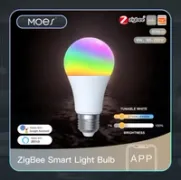
- MOES Smart Zigbee LED Bulb E27 RGB+CCT 9W — Budget option (Zigbee): Official store · AliExpress
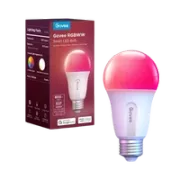
- Govee Smart LED Bulb E27 RGBWW — Budget option (Wifi): PC Componentes
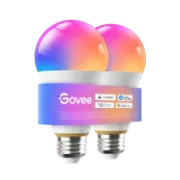
- Govee Smart Bulb E27 A21 1600lm — Superior version (Wifi y Matter): Official store · Amazon
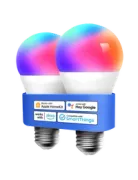
- Meross Smart Wi-Fi LED Bulb Pro MSL120HK — Equivalent alternative (Wifi): Official store · Amazon · PC Componentes · Aliexpress
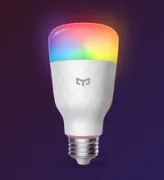
- Yeelight Smart LED Bulb W3 (Multicolor) — Equivalent alternative (Wifi): Aliexpress
Related video

Budget option
Zigbee