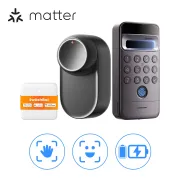
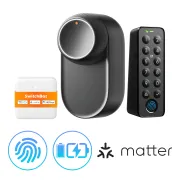
SwitchBot Lock Ultra Touch: The Facial Recognition Smart Lock That Transforms Your Door
Have you ever arrived home with your hands full and wished the door would unlock itself when it saw you? With the new SwitchBot Lock Ultra Touch and Keypad Vision, that future is here. In this article, we take an in-depth look at what may be the most complete smart lock on the market today.
On YouTube I share more tutorials, hands-on tests and real smart home setups. Subscribe on YouTube
Related video on YouTube
VideoWhat Makes the SwitchBot Lock Ultra Touch Special?
This lock is more than just a motor that turns the key; it is a biometric security hub. Its main strengths are:
- Tool-free installation: It mounts over your existing lock with no screws or wiring. Perfect if you rent.
- Multiple unlocking methods: Fingerprint, code, NFC cards, the mobile app and, the star of the show, facial recognition.
- Dual power supply: Rechargeable batteries with exceptional runtime.
The Winning Combo: Keypad Vision
The real brains outside are the Keypad Vision. In addition to the keypad and fingerprint reader, it includes a camera capable of recognizing faces instantly.
- Security: Face processing happens locally to protect your privacy.
- Two-way audio: You can talk to whoever is at the door from the app, and it also works as a smart doorbell.
Full Integration: From Alexa to Home Assistant
One of SwitchBot’s biggest advantages is that it does not lock you into its own app. Thanks to its Hub, it is compatible with:
- Matter: The integration of the future. You can add it natively and locally to Apple HomeKit, Google Home, or Alexa.
- Home Assistant: You have two options. The integration via Cloud (easier) or through Matter for local, fast, and private control.
In the video, I show you step by step how to set up both options so your lock becomes just another entity in your dashboard.
Useful Automations
Imagine these scenes at home:
- Personalized welcome: "When Keypad recognizes Héctor’s face, turn on the hallway lights and play his favorite playlist."
- Maximum security: "If someone tries to tamper with the keypad, send a critical alert to the phone and trigger the home alarm."
Where to buy
If you are interested in any of the options mentioned, here are the available links:
- SwitchBot Lock Ultra Vision Pro Combo — Reviewed in the video: Official store · Amazon
- SwitchBot Lock Ultra Touch Combo — Budget option (Sin detección visual, solo teclado): Amazon
Conclusion: Is It Worth It?
If you are looking for total convenience and an installation that won’t damage your door, the SwitchBot Lock Ultra Touch is hard to beat. The speed of facial recognition and the robustness of its app put it at the top of today’s home automation market.
Want to learn how to integrate devices like this into a professional system? Sign up for my free Home Assistant course and start automating like a PRO.
Related video

Reviewed device