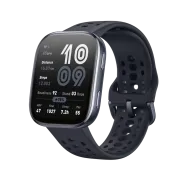
Amazfit Bip 6 and Home Assistant: The ultimate smartwatch under €80
Imagine controlling your entire smart home from your wrist without paying €300 for an Apple Watch or dealing with Wear OS battery headaches. On HectorziN | Home Automation and Home Assistant we review the Amazfit Bip 6, a smartwatch that the community has turned into the perfect smart home companion.
On YouTube I share more tutorials, hands-on tests and real smart home setups. Subscribe on YouTube
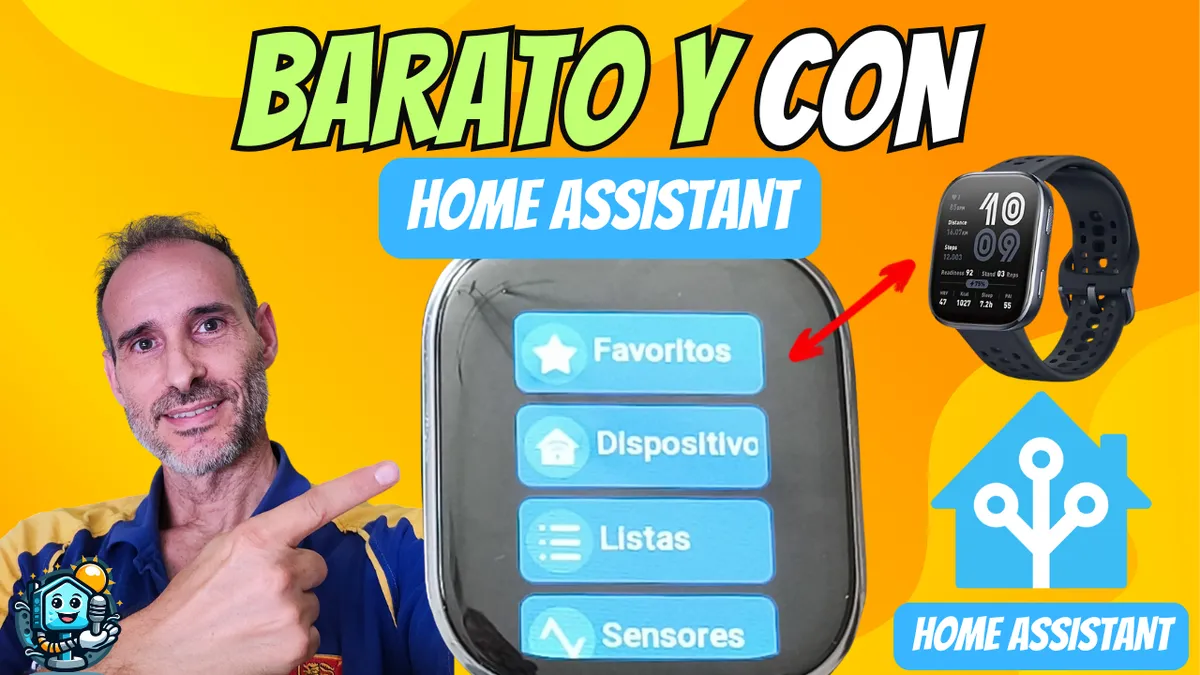
Related video on YouTube
VideoWhy is the Amazfit Bip 6 the best choice for Home Assistant?
Until now, if you wanted Home Assistant on your watch your options were limited and expensive. The Amazfit Bip 6 changes the game with incredible specs for the price:
- Long battery life: Forget the charger. Lasts between 12 and 16 days with typical use.
- AMOLED display: Perfect visibility even in bright sunlight.
- Comprehensive sensors: GPS, heart rate and blood oxygen (SpO2).
- Light and durable: Just 24g and water resistant.
- Unbeatable price: You can get it for under €80.
👉 Buy Amazfit Bip 6 on Amazon at the best price
HA Companion: Aguacatec's magic on your wrist
The secret of this watch isn't out of the box; it comes from Tito and the community at Aguacatec. They've developed HA Companion, an app that turns this simple watch into a smart home control hub.
More information on the original site: https://aguacatec.es/controlar-ha-desde-tu-reloj-amazfit/
How to install HA Companion step by step
- Open the Zepp app on your phone (the official Amazfit app).
- Go to the App Store.
- Search for and install HA Companion.
- On the watch, open the app and configure these three settings:
- Home Assistant IP: Your local or external address (Nabu Casa, DuckDNS, etc.).
- Long-Lived Token: Generate it in your Home Assistant profile > Security.
- Favorite Entities: Select only the ones you really need to avoid cluttering the menu.
💡 Pro tip: The free version works fine, but for just €1.50 (the price of a coffee) you unlock the Full Kit and directly support Tito for his amazing work. More info on Aguacatec's site.
Real use cases: What can you do?
Having control on your wrist isn't just for show; it's pure convenience. Here's how I use it:
1. Shopping list 3.0
No more fishing for your phone in the supermarket with full hands. Thanks to Aguacatec's integration, you can view and check off items right from the watch. 🔗 Learn how to automate your shopping list 3.0 here
2. Unlock the door hands-free
If you have a smart lock (like Nuki), you can create a button on the watch. Perfect for when you come back from a run with nothing in your pockets.
3. Bluetooth presence
The watch creates entities in Home Assistant. One of the most useful is using Bluetooth so your home knows which room you're in and reacts accordingly.
Where to buy
If you are interested in Amazfit Bip 6, here are the available purchase options:
- Amazfit Bip 6 — Reviewed in the video: Amazon
Conclusion: Is it worth it?
Absolutely yes. The Amazfit Bip 6 with HA Companion is currently the most efficient and affordable way to carry smart home control on your wrist. You get power, battery life and the support of an incredible community.
If you want to see this process in action, don't miss the full video on my channel:
Will you join the community?
- Learn more: Sign up for my free Home Assistant mini-course.
- Support the content: Become a channel member to enjoy exclusive perks.
- Subscribe: Don't miss another tutorial on YouTube.
Got an idea for the next tutorial? Leave it in the comments! "Unlock the door while running" or "Movie-scene lighting from the watch"? I read them all!
Note: This article contains affiliate links. If you purchase through them, you support the channel at no extra cost to you. Thanks for the support!