Do you really need a NAS? RAID types. Testing the ORICO 9958RC3-PRO
In the digital age, the question is no longer whether you will run out of space, but when. For content creators, photographers, or engineers, data management is critical. However, there is a widespread misconception: is a NAS always the best option? In this article, we take an in-depth look at the differences between NAS and DAS, explore the different RAID types, and put the powerful ORICO 9958RC3 Pro to the test.
On YouTube I share more tutorials, hands-on tests and real smart home setups. Subscribe on YouTube

Related video on YouTube
VideoDAS vs. NAS: What is the best way to store your data?
Often, the automatic answer to storage problems is “buy a NAS”. But the reality is more nuanced.
What is a NAS (Network Attached Storage)?
A NAS is, essentially, a small server with its own operating system, user management, and applications. It is fantastic for accessing files from anywhere, but it requires technical knowledge for administration and maintenance.
What is a DAS (Direct Attached Storage)?
A DAS, such as the ORICO DS500U3 or the advanced 9958RC3 Pro, connects directly to your computer via a cable, usually USB. It is storage simplicity at its best: you plug it in, turn it on, and the computer detects the drives. It is pure local storage, fast and without complex network configuration.
When should you choose a DAS? If you are a professional looking for speed to edit video directly from the drive, or you simply want to expand your capacity without becoming a system administrator.
RAID Types: Speed vs. Safety
RAID (Redundant Array of Independent Disks) is the technology that allows multiple drives to work together. Here are the most common modes tested in the Orico ecosystem:
1. Normal Mode (Non-RAID)
Each drive works independently. If you insert 5 drives, Windows will see 5 separate units. It is ideal for organizing files by category, such as videos on one drive and photos on another, without cross-drive risks.
2. JBOD (Just a Bunch Of Disks)
Combines several drives of different sizes into a single logical volume.
- Advantage: You can use the full total capacity.
- Disadvantage: You gain neither speed nor safety. If one drive fails, the entire volume may be compromised.
3. RAID 0: The King of Speed
Splits files across all drives in parallel.
- Real-world performance: In our tests with the ORICO 9958RC3 Pro, combining two SSDs in RAID 0 doubled the speed, reaching almost 900 MB/s.
- Risk: There is no redundancy. If a single drive fails, you lose absolutely EVERYTHING. RAID 0 is not a backup.
4. RAID 1: The Mirror (Total Safety)
Everything written to one drive is duplicated on the other.
- Ideal for: Family photos or irreplaceable projects. If one drive dies, your data is safe on the other. You sacrifice 50% of the total capacity.
5. RAID 5: The Professional Balance
Requires at least 3 drives. It uses part of the capacity for “parity”, allowing the data to be rebuilt if one drive fails. It is the standard in business environments because of its balance between capacity and protection.
6. RAID 10 (1+0): The Best of Both Worlds
Combines the speed of RAID 0 with the safety of RAID 1. It needs at least 4 drives and is the preferred option for professional workflows where time and data are money.
ORICO 9958RC3 Pro Review: Hardware-Powered Performance
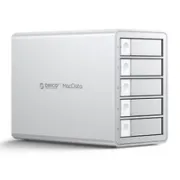
This professional 5-bay DAS is not just a “drive box”. Its biggest advantage is that it handles RAID in hardware, taking the load off your operating system.
Performance and Connectivity Tests
Although the device advertises a USB-C interface of up to 20 Gbps (USB 3.2 Gen 2x2), it is crucial to understand compatibility. In test environments with USB 4, the speed may negotiate at 10 Gbps due to current protocol limitations. Even so, working directly on the DAS in RAID 0 with SSDs is a smooth experience, ideal for editing in DaVinci Resolve or Adobe Premiere.
The Importance of Cooling
One detail that is often overlooked is temperature. By monitoring the drives in Home Assistant, we found that the design of the ORICO 9958RC3 Pro manages to reduce drive temperature by up to 3 degrees compared with more basic models. In summer and under long workloads, this is vital for the health of your hard drives (HDDs).
Recommended gear
These are the devices used in this project:
- ORICO 9958RC3-PRO — Reviewed in the video: AliExpress
- ORICO DS500U3 5-Bay 3.5" Hard Drive Dock USB 3.0 — Budget option (NO RAID): Amazon · Aliexpress
- ORICO DS200U3 — Budget option (2 Bahías, NO RAID): AliExpress
Conclusion: Which one should you buy?
- If you want absolute simplicity and a low price: The Orico DS500U3 is a basic DAS, perfect for backups.
- If you need remote access and services: Choose a NAS, but be prepared for the learning curve.
- If you want professional editing speed, RAID safety, and simplicity: The ORICO 9958RC3 Pro sits in that sweet spot between a simple DAS and a complex NAS.
And you? How do you organize your storage? Are you the type who prefers extreme speed, or are you still crossing your fingers with an old USB drive? Tell us in the comments!
If you want to see these tests in action, don’t miss the full video on the channel: Do you really need a NAS? RAID types. Testing the ORICO 9958RC3-PRO